When Google Calls Your Front Desk: A Five-Call Test for Tulsa Businesses
Test how your Tulsa front desk handles Google automated calls for bookings, wait times, prices, and availability without guessing.
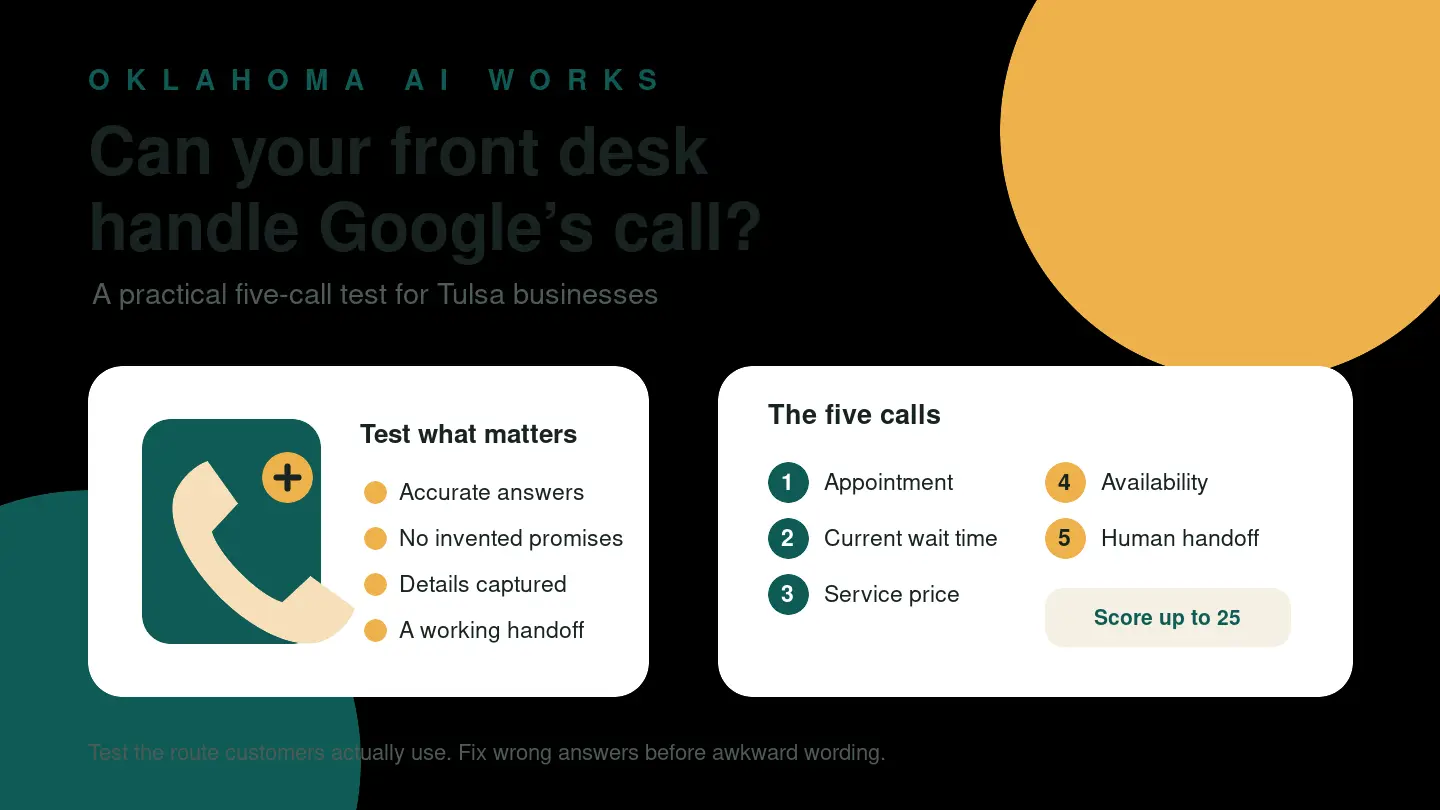
A customer may ask Google to call your business before that customer ever speaks with you.
Google says it may place an automated phone call on a customer’s behalf to book an appointment, check a restaurant wait time, or confirm the price and availability of a product or service. The customer can make the request through Google Search or Maps. If your front desk can answer clearly, Google can pass the information back to that customer.
For Tulsa businesses, this creates a practical question: can your staff member, phone tree, answering service, or AI receptionist handle another automated system without getting stuck? Run five controlled role-play calls, record where the conversation breaks, and fix the smallest useful thing first.
What Google’s official guidance actually says
Google’s Business Profile help page says customer-request calls can be used for four practical purposes:
- booking appointments with details such as the preferred time and service
- checking restaurant wait times
- confirming service pricing and availability
- confirming the price and availability of in-store products
Google currently lists the feature as available in the United States except Indiana, Louisiana, Minnesota, Montana, and Nebraska, so Oklahoma is not excluded. Availability is still limited by region and language and may not extend to every user. This is a call your business might receive, not a guaranteed lead source.
Google also says these calls are monitored and recorded for quality assurance and are free to businesses and customers. It limits repeat calls for the same information and avoids late-night and early-morning calls.
These are distinct from Google’s automated calls or texts that confirm Business Profile information such as hours or in-demand inventory.
Build a one-page answer sheet before you test
A front desk cannot give a reliable answer if the business has never decided what the answer should be.
Create a small approved-answer sheet with these columns:
| Request | What may be answered now | What must not be promised | Where an exception goes | | --- | --- | --- | --- | | Appointment | Available windows and required intake fields | A time that is not actually reserved | Scheduler or designated employee | | Wait time | Current estimate and when it was checked | A guaranteed seating time | Shift lead | | Service price | Published price or an approved range with conditions | A firm quote without required details | Estimator or service manager | | Product availability | Quantity or status verified in the system | Inventory based on memory | Store lead | | Unusual request | Basic intake and callback expectation | An invented answer | Named human owner |
Keep private customer data, account credentials, payment details, and internal-only notes off this sheet. The goal is to make routine answers consistent—not to make every business detail available to any caller.
Then choose one employee to place the role-play calls and another person or system to answer them. If you use an AI receptionist or answering service, test the real production route rather than a cleaner demonstration line.
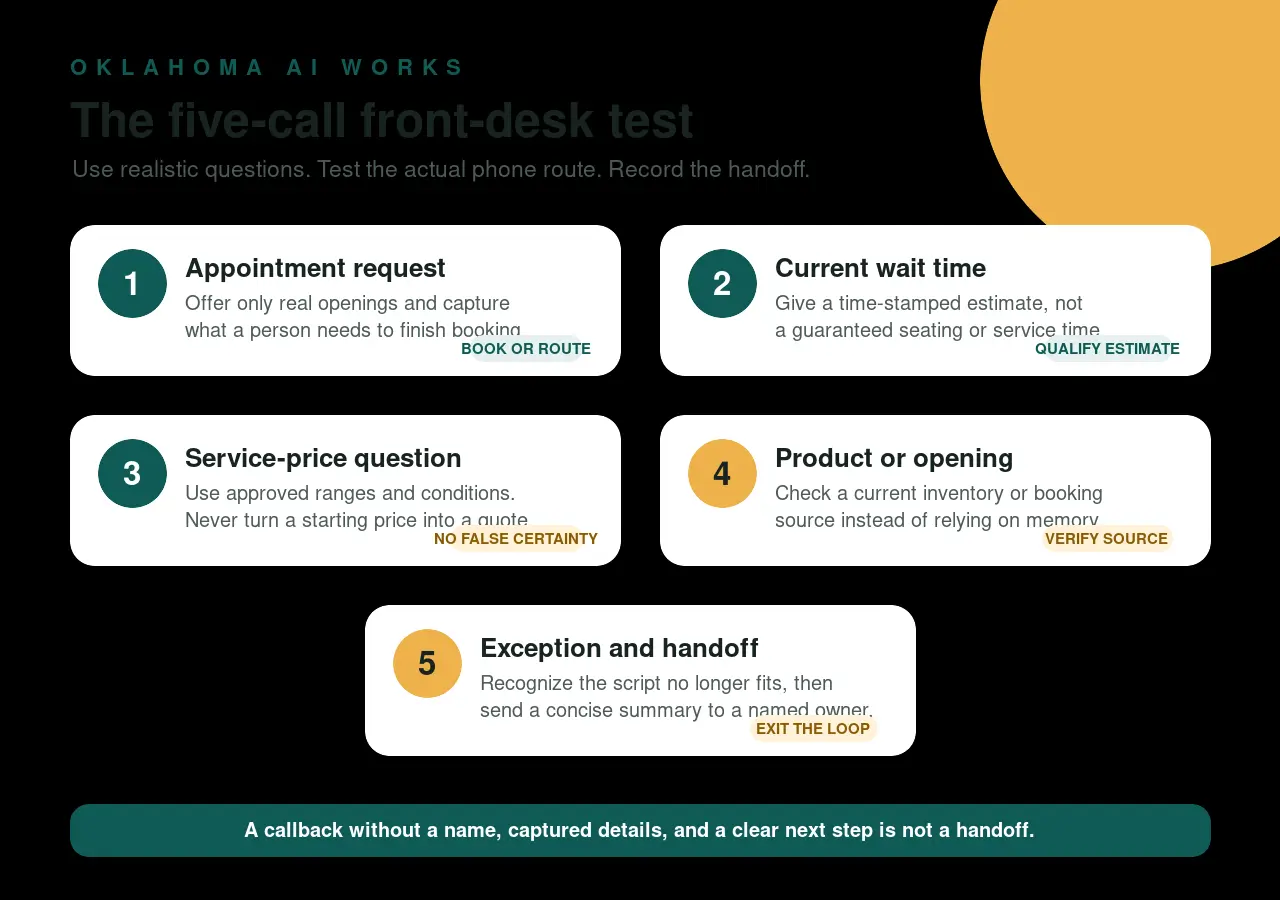
Call 1: A straightforward appointment request
Use a normal request your business receives every week:
“I’d like to book a consultation next Tuesday afternoon for one person. What times are available?”
A successful front desk should identify the requested service and time, offer only available options, and explain what is still needed to complete the booking.
Watch for the common failure: “Someone will call you back,” with no name, phone number, preferred time, or service captured. That is a dead end, not a handoff.
Pass condition: the appointment is accurately reserved, or the request reaches a named queue with the details needed for a human to finish it.
Call 2: A current wait-time question
This test is mainly for restaurants and other businesses where customers arrive without a fixed appointment:
“What is the current wait for a table for four?”
The answer should include when the estimate was checked and avoid presenting it as a guarantee. “About 25 minutes as of 6:10 p.m., but that can change before you arrive” is more useful than “We’re busy” or an exact seating promise. If wait times are not tracked, route the question rather than improvising from old information.
Pass condition: the caller gets a current, qualified estimate or a clear route to the person who has it.
Call 3: A service-price request with missing details
Try a question that cannot honestly be answered with one universal number:
“How much does your standard service cost, and can you come to Broken Arrow this week?”
A good answer separates what is known from what still requires review. It might state a published diagnostic fee, explain that final pricing depends on the scope, confirm whether Broken Arrow is inside the normal service area, and capture the details needed for an estimate.
The danger is false certainty. An automated receptionist should not turn a starting price into a final quote, waive a fee, or promise technician availability that the calendar does not show.
Pass condition: approved pricing language stays intact, service-area information is accurate, and the request is either scheduled or handed to the correct estimator.
Call 4: A product-availability question
For a retailer, pet-care provider, rental company, or any business with limited inventory, ask:
“Do you have the specific item or opening I need today, and what does it cost?”
The answer should come from a current inventory or booking source—not memory or a generic “probably.” If stock changes quickly, say when it was checked and whether the item can be held.
Google notes that when in-store product details have already been shared through Merchant Center, it may use that information instead of calling to ask about inventory. That makes accurate source data just as important as the phone answer.
Pass condition: the answer is tied to a current system, or uncertainty triggers a useful verification step rather than a guess.
Call 5: An exception that needs a human
Finally, test something outside the happy path:
“I need a service you do not normally list, I have a timing constraint, and the standard options will not work. What happens next?”
You are testing the exit ramp. The front desk should recognize that the approved script no longer fits, collect only the information needed for follow-up, name the responsible team or person, and give a realistic callback expectation.
Listen for loops: repeated menu options, the same question asked three times, a transfer back to the starting menu, or an AI that keeps rephrasing an answer instead of escalating. Those are interoperability failures even if the voice sounds polished.
Pass condition: the exception reaches a human-owned queue with a concise summary and a clear next step.
Score the result, not the voice
Give each call one point for each outcome:
- The request was correctly identified.
- The answer came from an approved source.
- No price, time, inventory, or outcome was invented.
- The necessary contact and request details were captured.
- An exception had a working human handoff.
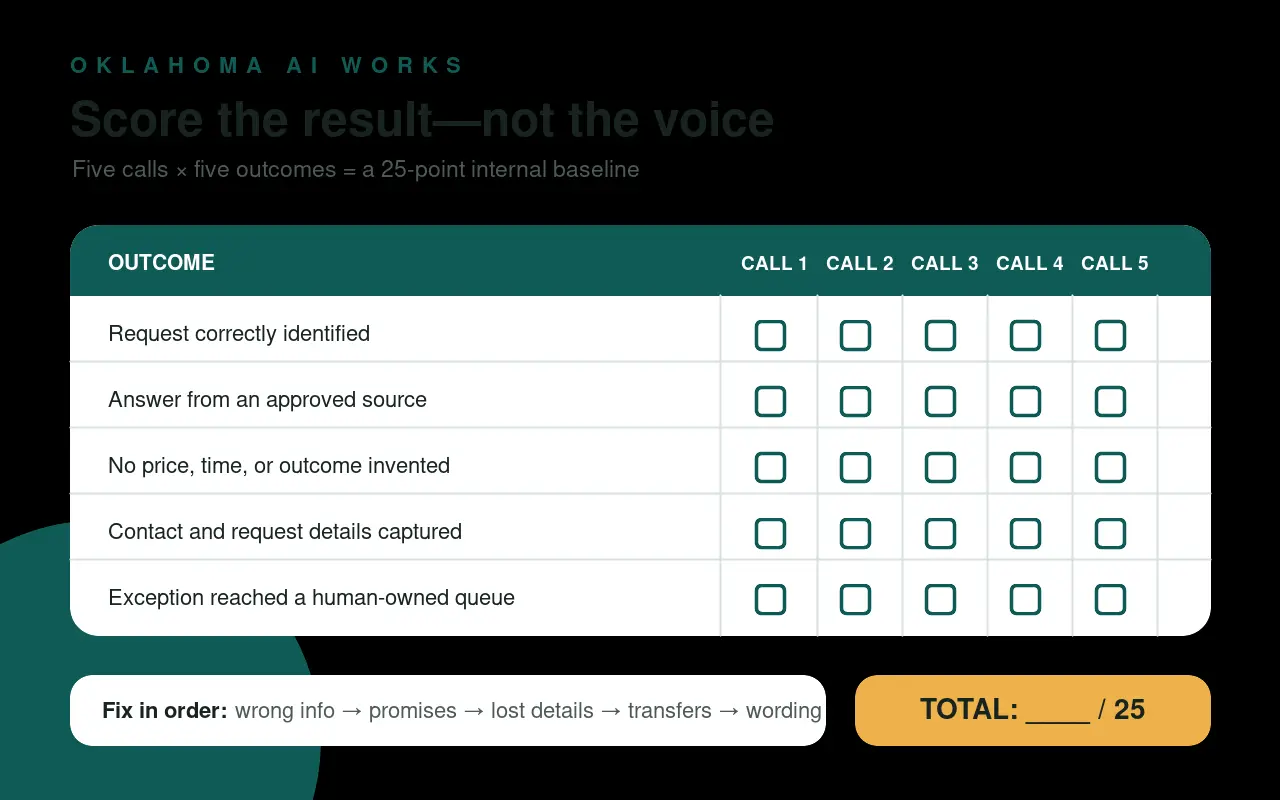
That creates a 25-point internal baseline, not an industry benchmark. Note every place where the caller repeated information, received conflicting answers, or reached nowhere.
Fix the failures in this order: wrong information, unsupported promises, lost contact details, broken transfers, then awkward wording. A plain but accurate answer is more valuable than a natural-sounding answer that is wrong.
Run the same five calls after each change. Then repeat the test quarterly and whenever you change hours, services, prices, scheduling software, phone menus, or answering providers.
Decide whether you want the calls
Google provides an opt-out. Its help page says a business can ask to stop automated calls during a call or change its Business Profile settings. Opting out may be reasonable if the calls do not fit your operating model.
But opt-out should follow a deliberate review, not frustration with one broken phone-tree interaction. First determine whether the failure belongs to Google’s call, your own routing, or an unanswered business question. If your team cannot state the current price policy or appointment handoff during a test, ordinary customers are probably encountering the same uncertainty.
The useful outcome is not “our AI talked to Google’s AI.” It is that any legitimate caller can get an accurate answer, leave the right details, and reach a human when the script runs out.
Want help finding the weak point? Ask OKAIWorks to run a five-call front-desk test and map what your staff or AI receptionist should answer, record, and hand off. Talk with Oklahoma AI Works.
Source reviewed
- Google Business Profile Help: About automated calls from Google on behalf of customers (reviewed July 30, 2026)
- Google Business Profile Help: About automated calls and texts from Google to confirm business info (reviewed July 30, 2026)