Before You Add Text Messaging to Google, Decide Who Owns the Inbox
A practical launch checklist for Tulsa businesses adding text messaging to Google Business Profile without creating another missed-lead inbox.
A new contact button looks like a lead-generation win. A customer finds your business on Google, taps to send a text, and reaches you without filling out a form or making a call.
But adding the button takes less work than operating the inbox behind it.
Google currently says claimed and verified Business Profiles can add a text-message or WhatsApp contact option. It also says the options are available only in select regions and may not appear on every profile. If both are added, Google says customers may see only the text option.
That makes the first step a simple eligibility check. The more important question comes next: Who will answer, what can they promise, and what happens when the message needs a person with authority?
For a Tulsa service or appointment business, Google Business Profile text messaging can be useful. It can also become one more silent place where a customer waits. Do not switch it on until the operating rules are ready.
Confirm what your profile actually offers
Sign in to the Google account associated with the Business Profile. Open Edit profile, then Contact, and look for the Chat field. If it appears, Google’s current instructions allow a text-capable phone number or a WhatsApp click-to-chat URL.
If the field is missing, do not build a campaign around it. Google does not promise availability for every region or profile. Keep the phone and website routes accurate, then check again later.
If the field is available, decide which route you genuinely operate. A personal mobile number may receive a test message, but that does not make it a good business inbox. Ask whether a backup can see the conversation, whether access can be removed when an employee leaves, whether messages can be assigned, and whether the business can preserve the context needed for follow-up.
The right destination is not the number closest to the owner. It is the inbox the team can reliably own.
Name an owner, a backup, and a response promise
“Incoming texts go to the office” is not an operating rule. Name one primary owner by role and one backup. Define the hours each person covers and where an unanswered conversation becomes visible.
Then write a response promise the team can keep. Do not copy an aggressive five-minute target from a software vendor if the office is routinely on job sites. A useful promise might be:
Messages are checked from 8 a.m. to 5 p.m. Monday through Friday. New inquiries receive a first response within 30 minutes during those hours. After-hours messages receive an acknowledgment and enter the next-business-day queue.
The first response does not have to resolve the job. It should confirm receipt, collect the next required detail, or state when a qualified person will follow up.
Test the promise during lunch, at closing time, and when the primary owner is absent. If the backup does not receive the alert or cannot see the original conversation, the process is not ready.
Keep the first conversation small
A text inquiry usually needs less information than a full customer record. For a local service lead, start with the minimum needed to route the request:
- name
- callback number, if it differs from the texting number
- service needed
- city or ZIP code
- urgency in the customer’s own words
- preferred callback or appointment window
Ask for a street address or photos only when the workflow actually needs them. Do not request payment-card details, account passwords, Social Security numbers, medical information, or other sensitive data through an ordinary lead text.
The Federal Trade Commission’s business security guidance is blunt: know what personal information you collect, keep only what the business needs, limit who can access it, and protect what you retain. Applying that guidance to an inbox means mapping where the messages go, which employee devices can see them, what gets copied into another system, and when old data is removed.
If a customer volunteers sensitive information, do not spread it through group texts or paste it into an AI tool by default. Move the conversation to the business’s approved secure process and alert the appropriate person.
Define what can be answered without approval
Write two short lists: answer directly and hand to a person.
A trained employee or carefully bounded assistant may be able to answer stable questions about service area, normal hours, services offered, appointment-request steps, and what information to prepare.
A human with authority should handle final prices, unusual discounts, guarantees, complaints, refunds, legal threats, safety issues, medical details, employment questions, and anything the business records do not clearly support.
Do not let automation invent availability or imply that an appointment is booked before the calendar confirms it. Do not let it diagnose a problem from one sentence or promise an arrival time the field team has not accepted.
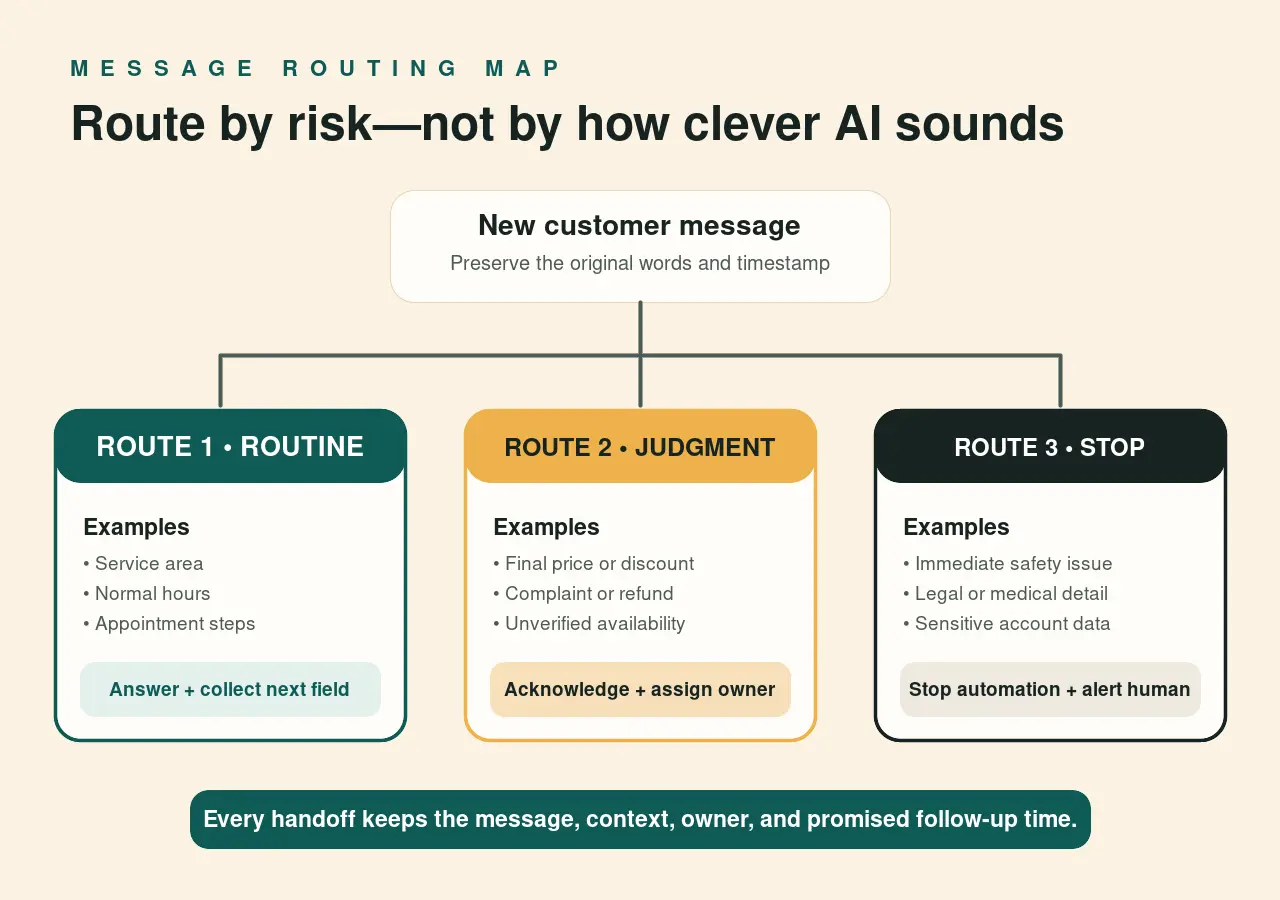
A useful handoff includes the original message, the customer’s contact details, what has already been asked, why the case was escalated, and the promised follow-up time. “Please call this person” throws away the advantage of text-based intake.
Route messages by risk, not cleverness
The goal is not to make every message receive an instant AI answer. The goal is to get each conversation to the safest useful next step.
Use three routes:
- Routine: Answer from approved business information and collect the next intake field.
- Needs judgment: Acknowledge the message, avoid a commitment, and assign it to the named owner.
- Urgent or sensitive: Stop automation, show the correct emergency or secure-channel instruction when appropriate, and alert a human immediately.
For example, “Do you serve Broken Arrow?” can use a verified service-area answer. “Can you match this competitor’s quote?” needs commercial judgment. “I smell gas” should not enter a normal estimate queue; the business needs a prewritten safety response appropriate to its trade and reviewed by a qualified person.
The routing rule should be visible to the people answering, not buried in a vendor prompt.
Test the customer path before launch
Use a phone and Google account that are not used to manage the profile. Find the business as a customer would, confirm the contact option appears, and send at least five test messages:
- a normal service-area question
- an after-hours appointment request
- a message missing a callback detail
- a pricing exception or complaint
- an urgent or sensitive statement
For each test, record where it arrived, who was alerted, the first-response time, whether context survived the handoff, and whether any unapproved promise was made. Also test a failed or unavailable inbox connection. A customer should not receive a confident confirmation when the destination system did not accept the lead.
Remove test records when they are no longer needed, and do not use real customer details in the test.
Measure conversations through to an outcome
Google’s Business Profile performance documentation defines Messages as the number of different conversations through messages. Google also cautions that not every metric applies to every profile.
A conversation count is useful, but it does not tell you whether the office answered or the customer booked. Keep a small weekly scorecard:
- new conversations
- conversations receiving a response within the stated promise
- after-hours messages carried into the next-business-day queue
- leads with the minimum intake fields complete
- conversations escalated to a person
- appointments or estimates requested
- appointments or estimates actually booked
- unanswered or lost conversations
Review a sample of the transcripts for wrong promises, unnecessary data collection, repetitive questions, and handoffs that went nowhere. If message volume rises but booked work does not, do not celebrate the button. Find the broken step.
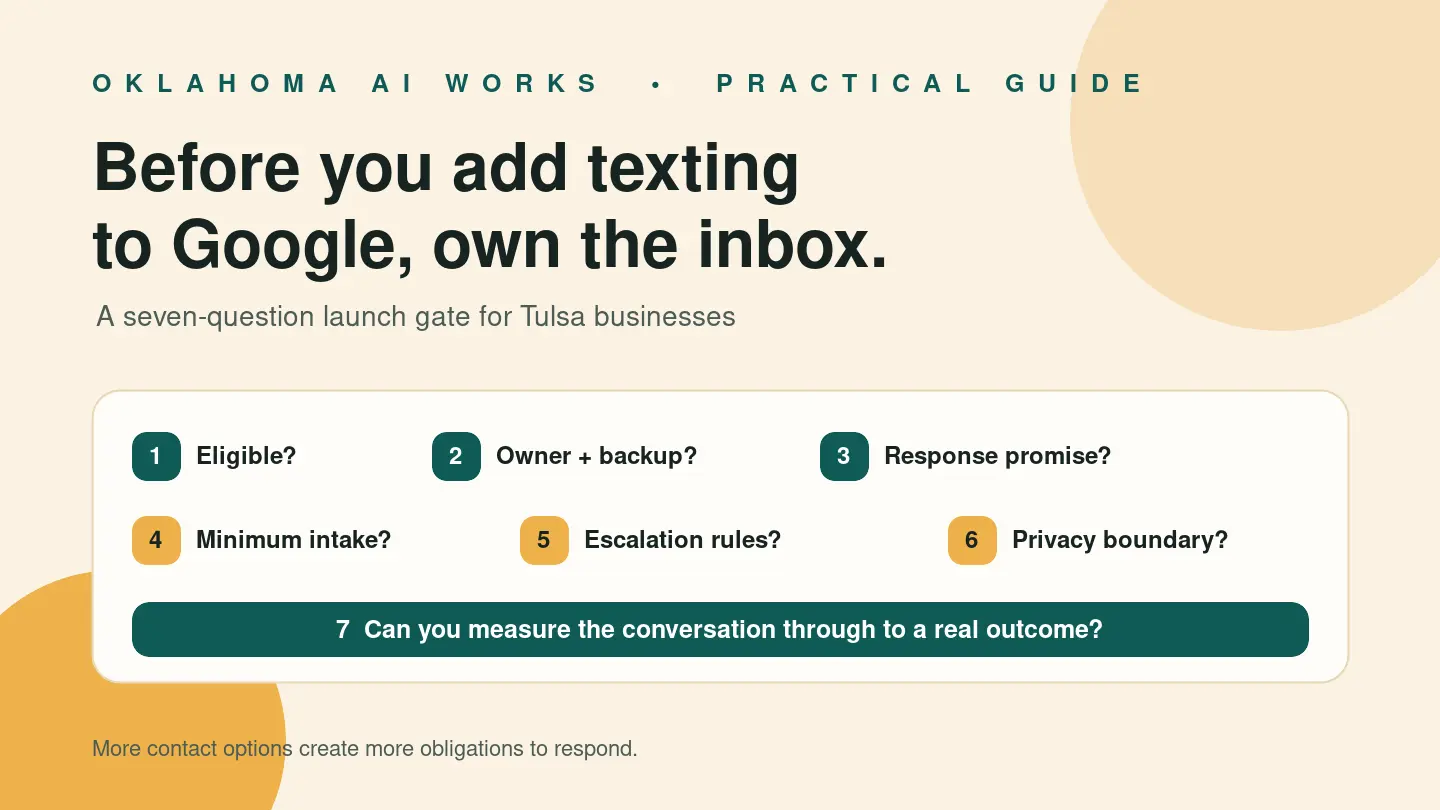
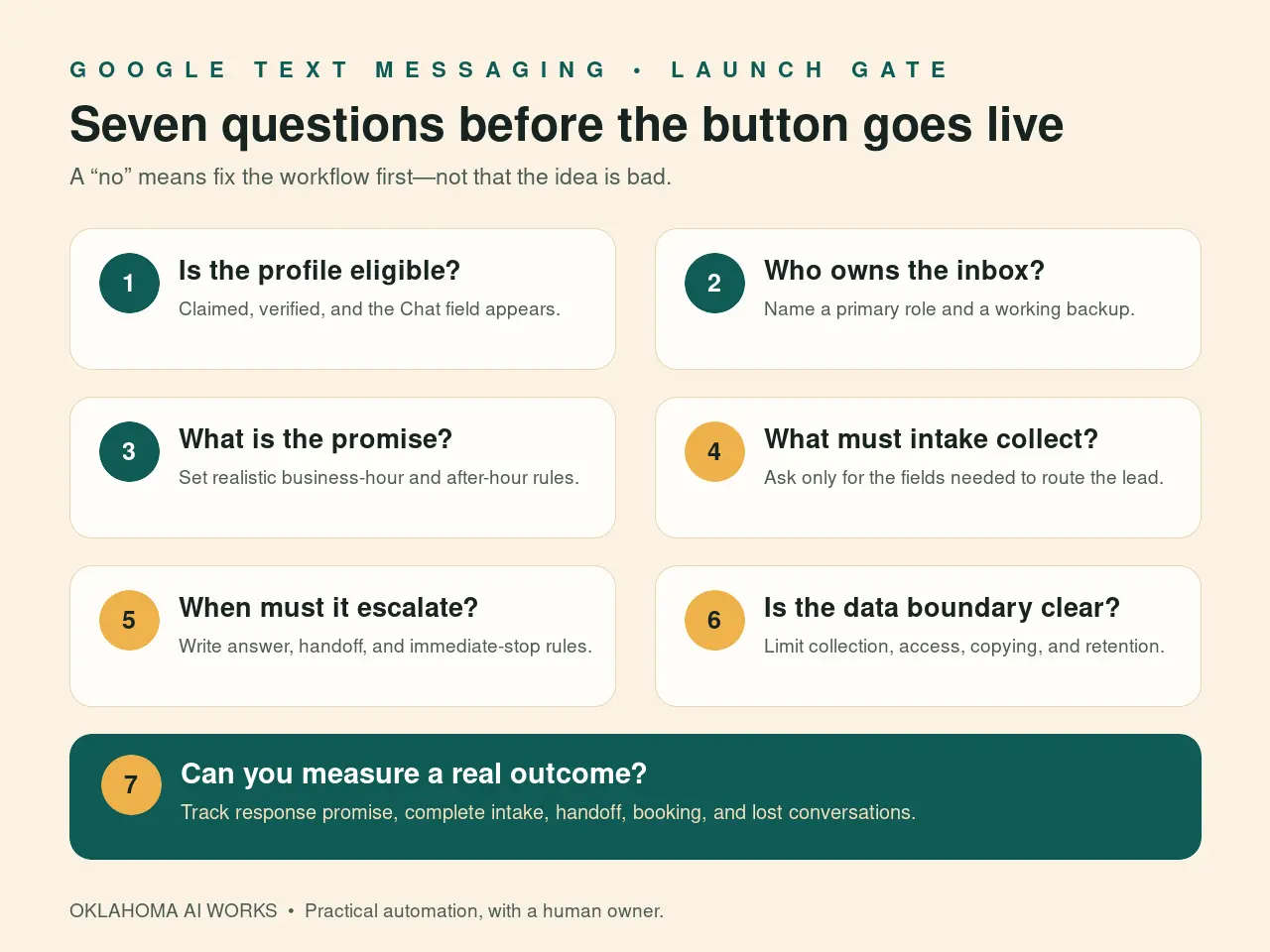
Use a seven-question launch gate
Before turning on Google Business Profile text messaging, require seven yes answers:
- Is the option available on this claimed and verified profile?
- Does the destination support the actual team, including a backup?
- Is there a realistic response promise for business hours and after hours?
- Are the minimum intake fields defined?
- Are answer, escalation, and stop rules written down?
- Are sensitive-data boundaries and access controls clear?
- Can the business measure each conversation through to a real outcome?
If one answer is no, fix the workflow before adding the button. More contact options do not automatically create more customers. They create more obligations to respond.
The practical opportunity is not “Google has messaging.” It is that a customer can begin a low-friction conversation at the moment they find you—provided someone reliably carries that conversation to the next step.
Want to add messaging without creating another abandoned inbox? Ask OKAIWorks to map the owner, backup, intake fields, escalation rules, and weekly scorecard before you switch it on. Talk with Oklahoma AI Works.
Source reviewed
- Google Business Profile Help: Chat with customers from your Business Profile (claimed and verified profile requirement, setup steps, select-region limitation, and text-versus-WhatsApp display behavior; reviewed August 9, 2026)
- Google Business Profile Help: Understand your Business Profile performance & insights (verified-profile requirement, metric availability caveat, and definition of Messages; reviewed August 9, 2026)
- Federal Trade Commission: Protecting Personal Information: A Guide for Business (data inventory, minimization, access, retention, and incident-planning guidance; reviewed August 9, 2026)
- National Institute of Standards and Technology: Cybersecurity Framework 2.0: Small Business Quick-Start Guide (voluntary small-business risk-management guide; reviewed August 9, 2026)